LinkedIn has added the option to collect and display client Reviews and Ratings on your LinkedIn Profile.
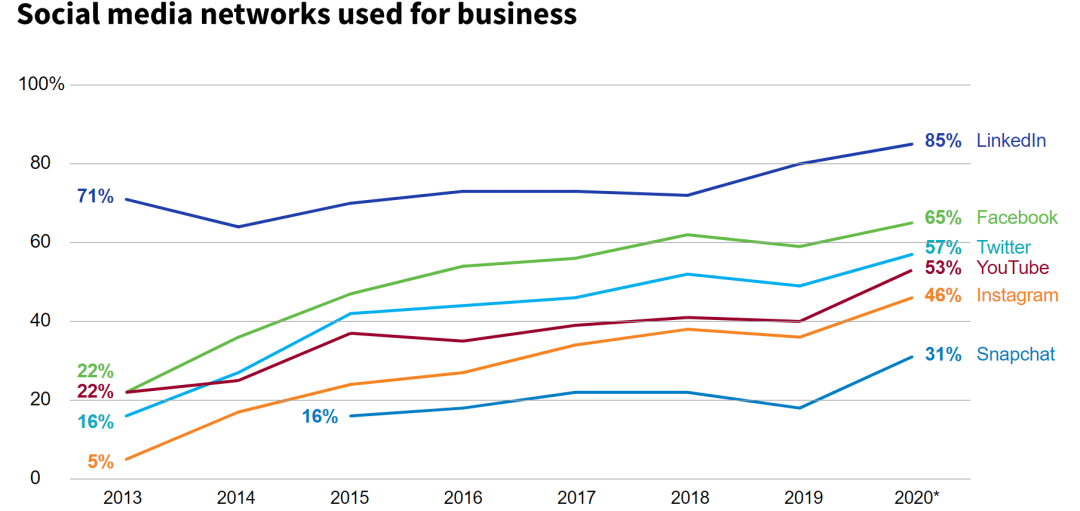
LinkedIn continues to be the social media platform of choice for advisors. According to Putnam Investments Social Advisor 2020 study, 85% of advisors are on LinkedIn.
This latest update to LinkedIn, when combined with the SEC’s recent change to the Advisor Marketing Rules, opens up even more marketing opportunities for advisors on LinkedIn.
Add Reviews and Ratings to your LinkedIn Profile
In July of 2019, LinkedIn added the option for service professionals to identify the services they offer clients. This allowed advisors an opportunity to more clearly define the work they do, differentiate themselves from their competition, and to be found through LinkedIn search for the services they listed.
Now your LinkedIn Services page can also be home to the reviews you collect from past clients.
To get started collecting reviews, you must first set up the Services page on your profile and be connected to your client on LinkedIn.
How to List Your Advisor Services on LinkedIn
1. From your Homepage, click on your profile picture. This will take you to your profile page.
2. Click the “Open to” button, select “Providing services.”
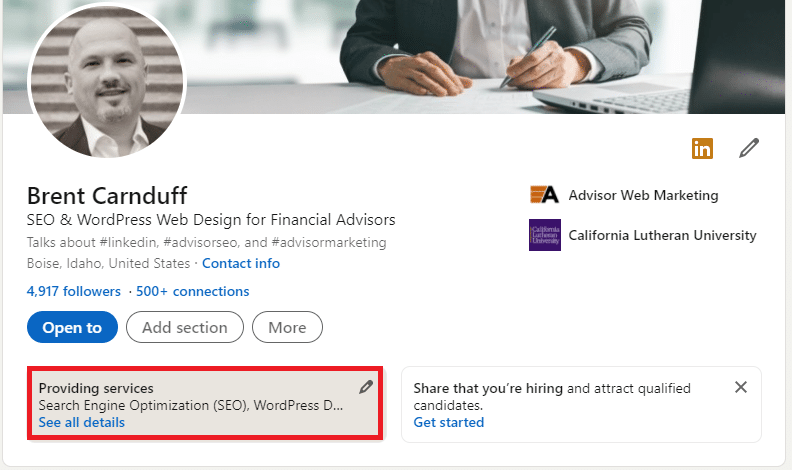
3. Click “Add Services”
4. Click on “Finance” in the toggle section displayed lower on the page to see what related services are available to be listed.
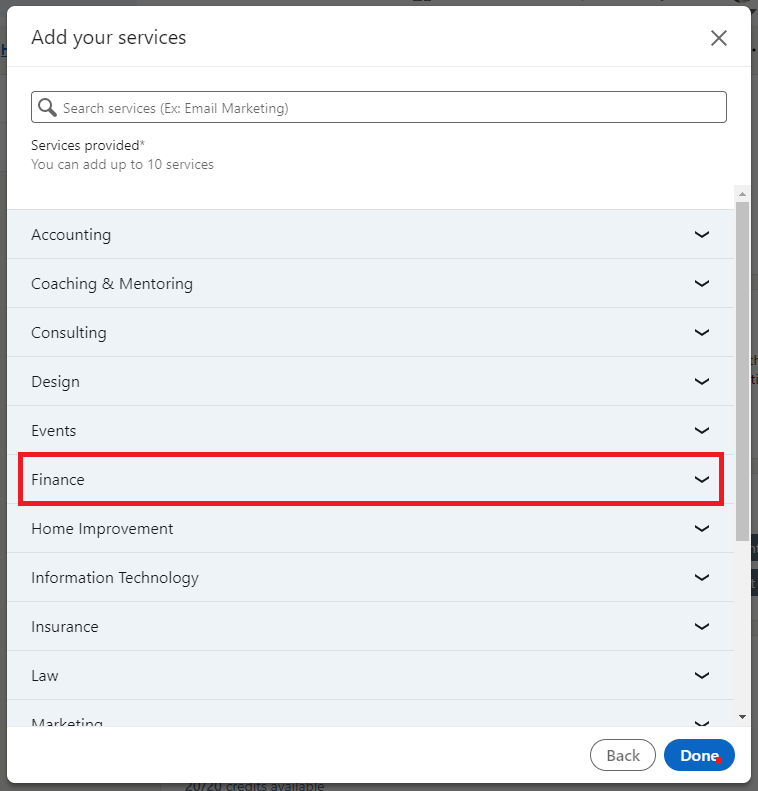
Depending on the services offered through your firm, you may also be able to use:
- Accounting
- Budgeting
- Tax Preparation
- Tax Advisory
Invite Clients to Review Your Work
Once you’ve added your services, you can invite clients to review your work.
1. Click the profile picture on your LinkedIn homepage.
2. Click “Providing Services.”
3. Click “Invite to review.”
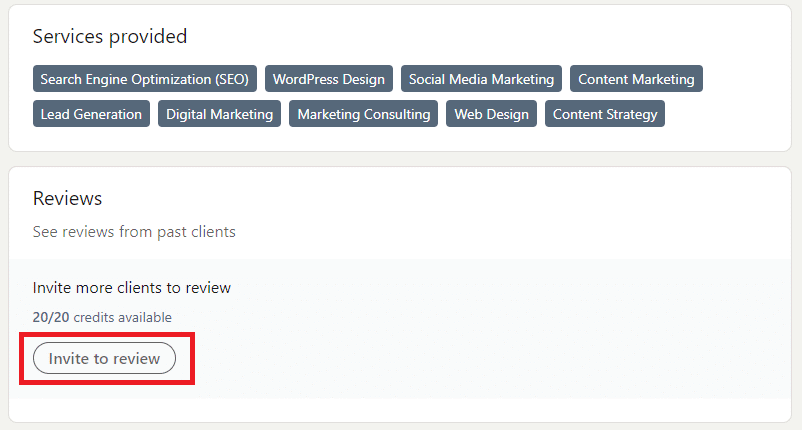
4. Select the Service Category that you would like them to review, click “Next.”
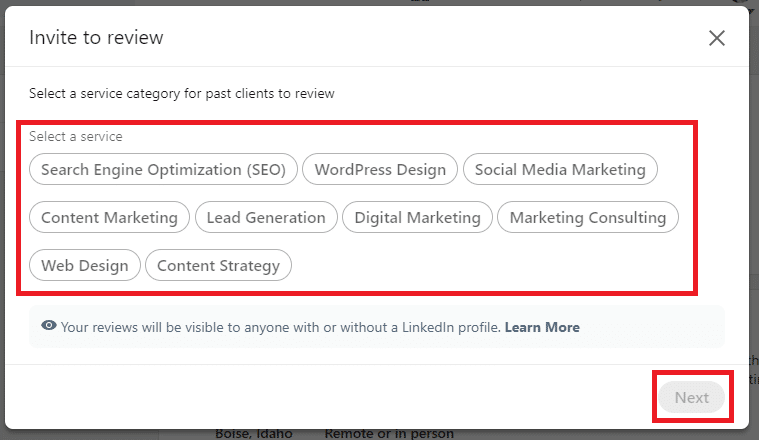
5. Click the checkbox next to your client
6. Invite
The new feature is still rolling out and is only available on desktop so far. If you already have your “Services” feature set up, you will start with 20 credits/invites available to collect reviews. If you are just setting up your “Services” section now, I assume you will be sent 20 credits for reviews upon completion, but there could be a delay.
Should I Collect Reviews on Google or LinkedIn?
For most advisors, it would be beneficial to have reviews on multiple platforms. However, if you’re just starting to collect reviews, I would focus on your most important platform first.
That means that if you are relying on Local SEO for traffic and clients, you want to collect reviews on Google. However, if Local SEO is not a priority, your target niche is a particular industry, or your marketing strategy already focuses on networking on LinkedIn, I would definitely collect and display reviews on LinkedIn.
Ultimately, you want to offer your client an opportunity to leave a review where it is easiest for them to do so, which means collecting and displaying reviews on multiple platforms.